








Service Design · July 25, 2026
Mapping Customer Journeys From Your Phone: What Actually Works
Static journey maps decay the moment the workshop ends. This guide covers which mobile journey mapping tools hold up under real conditions and how AI is changing the economics.

Most journey mapping happens in a conference room, on a Tuesday, with a projector that flickers and sticky notes that fall off the wall by Thursday. The map gets photographed, dropped into a slide deck, and never updated again. The customer moves on; the map does not.
The question worth asking in 2026 is not whether you should map customer journeys — that argument is settled. The question is whether the tools you use to do it are keeping pace with the way work actually happens: distributed, mobile, asynchronous, and increasingly AI-assisted. And for a growing number of CX practitioners, the answer to that question starts with what is already in their pocket.
This guide covers what genuinely works when mapping customer journeys from a mobile device or lightweight digital environment — which categories of journey mapping tools hold up under real conditions, where the constraints bite, and how AI is beginning to change the economics of the whole exercise for teams of every size.
Why the "conference room once a year" model of journey mapping fails
Journey mapping has a structural problem that no tool, however well designed, can fix on its own: the map is built at a point in time, by a group of people who are not the customer, using data that is already slightly stale. The moment the workshop ends, the map begins to decay.
This is not a criticism of the method. Journey mapping, done well, is one of the most powerful diagnostic tools in service design — it forces cross-functional alignment, surfaces hidden friction, and makes the emotional arc of an experience visible in a way that a spreadsheet of CSAT scores never can. The problem is the delivery mechanism: a static artefact, maintained by nobody, consulted rarely.
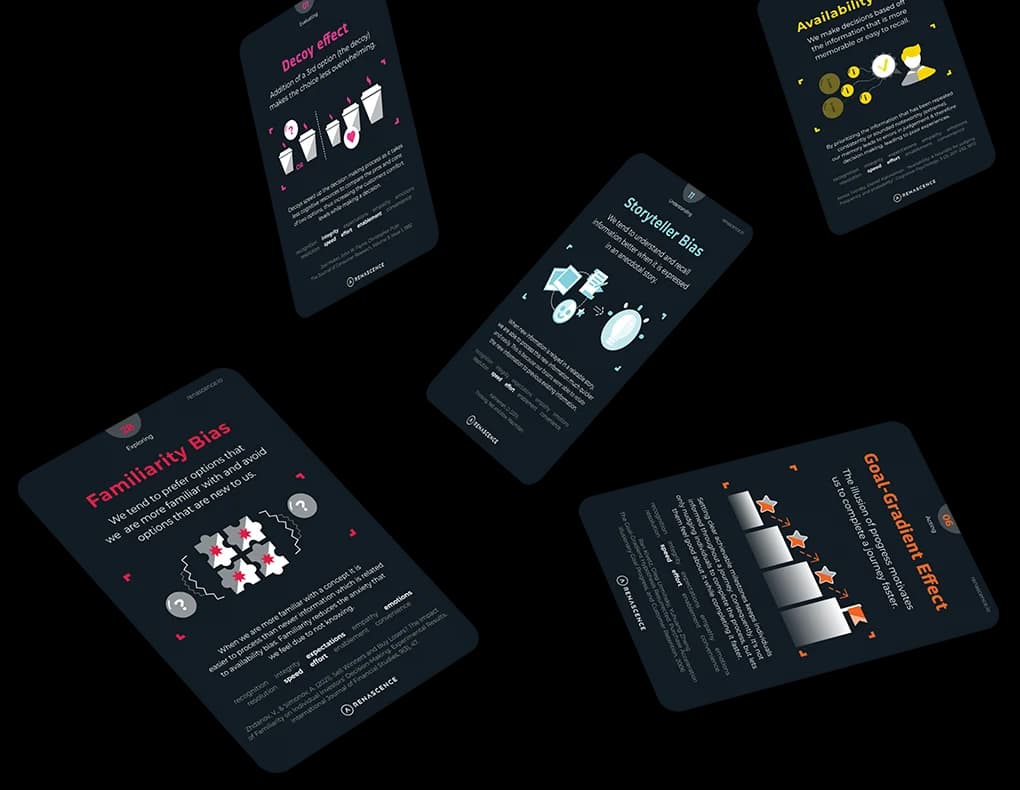
The behavioral economics concept of availability bias is relevant here. Decisions about customer experience improvement tend to be driven by whatever evidence is most mentally accessible — the complaint that landed in the CEO's inbox last week, the NPS dip that appeared in last quarter's report. A journey map sitting in a shared drive competes poorly against vivid, recent anecdote. For the map to influence decisions, it needs to be alive, visible, and easy to update. That is where the tool choice becomes consequential.
What "mobile journey mapping" actually means in practice
Before evaluating any journey mapping app or platform, it helps to be precise about what mobile-first or mobile-compatible actually means in this context. There are three distinct use cases, and they have different requirements.
- Field capture: A CX researcher or mystery shopper is at a physical touchpoint — a bank branch, a hotel check-in, a retail fitting room — and needs to record observations, emotional notes, or friction points in real time, without a laptop. The priority here is speed of input, low cognitive load, and reliable sync.
- Remote workshop facilitation: A team is running a journey mapping workshop across multiple locations or time zones. Participants need to contribute to a shared canvas from whatever device they have. The priority is collaborative editing, visual clarity, and the ability to vote or prioritise without a facilitator managing every move.
- Executive review on the go: A Head of CX or CMO wants to check the current state of a journey — its emotional arc, its weak touchpoints, its improvement roadmap — between meetings. The priority is read-access, clear visualisation, and the ability to leave a comment or flag a concern without needing a desktop session.
Most journey mapping tools were designed for the second use case and tolerate the other two rather than supporting them properly. Understanding which use case you are actually optimising for is the first decision — and it should drive your tool selection, not the other way around.
The four categories of journey mapping tools available in 2026
The market for journey mapping software has matured considerably. Rather than ranking individual products (vendor roadmaps move faster than any article can track), it is more useful to understand the four categories and what each is genuinely good for.
1. General-purpose visual collaboration tools
Platforms such as Miro and Mural fall here. They are canvas-based, highly flexible, and work reasonably well on mobile for light editing and review. Their strength is familiarity — most teams already have a licence, and the learning curve is low. Their weakness, for serious journey mapping, is that they have no CX-specific structure: a journey map built in Miro is essentially a drawing, not a data model. You cannot query it, score it, or extract a prioritised list of friction points without manual work. For journey mapping workshops in 2026, they remain a practical choice for the facilitation layer; they are not a system of record.
2. Dedicated journey mapping platforms
Tools built specifically for customer journey mapping — including Smaply, UXPressia, and Custellence — offer structured templates, persona integration, and better export options than general canvas tools. They are more opinionated about what a journey map should contain, which is both their strength and their constraint. Mobile support varies; most are primarily desktop experiences with responsive viewing rather than genuine mobile editing. They suit teams that need a shared, structured artefact and are willing to invest time in maintaining it.
3. CRM-integrated journey mapping
CRM integration in journey mapping is the direction enterprise buyers are pushing hardest. Salesforce, HubSpot, and similar platforms have introduced journey-adjacent features — lifecycle stage mapping, touchpoint tracking, and customer health scoring — that connect behavioural data to the map in near-real time. The advantage is obvious: the map is no longer a static artefact but a reflection of actual customer behaviour. The disadvantage is that these tools optimise for the commercial journey (lead to close, onboarding, renewal) rather than the full experiential journey, and the emotional dimension — what the customer feels at each touchpoint — tends to get lost in the data model.
4. AI-native CX design platforms
This is the category that has changed most significantly. Platforms built around an AI assistant that can scaffold a journey from a prompt, score touchpoints automatically, and surface moments of truth without a workshop represent a genuine shift in the economics of journey mapping — particularly for journey mapping for small businesses and teams without a dedicated CX function.
René Studio, built by Renascence, sits in this category. It structures every journey as Stages → Steps → Touchpoints, assigns each touchpoint a quantified Experience Impact Score (EXIS, on a −5 to +5 scale), and plots the result as an Emotional Arc that auto-flags Moments of Truth. An embedded AI assistant can build a full journey from a text prompt, which compresses what used to take a two-day workshop into a working draft in minutes — a draft that is then refined with real data and team input rather than built from scratch. For teams running digital transformation programmes who need to map multiple journeys quickly, that compression matters. The platform supports full RTL and multi-language, which is relevant for MENA deployments where Arabic-language journey mapping has historically been an afterthought.
The distinction worth noting is that René Studio encodes a methodology — the 10 CX Principles, behavioral-economics thinking, a proprietary scoring engine — directly into the software. The map is not just a visual; it is a scored, structured data model that connects to a Solutions library and a tracked Roadmap. That is a different proposition from a drawing tool with journey map templates.
What free journey mapping templates actually give you — and what they don't
Searches for journey mapping templates free are among the most common in this category, and the honest answer is: free templates are a reasonable starting point and a poor finishing point.
A well-structured template — whether from Miro's library, a Figma community file, or a downloadable spreadsheet — will give you the right columns: stages, touchpoints, customer actions, emotions, pain points, opportunities. That structure is genuinely useful for teams doing this for the first time. It prevents the most common mistake, which is building a process map (what the organisation does) and calling it a journey map (what the customer experiences).
What free templates cannot give you is the analytical layer. They do not score touchpoints, they do not calculate an emotional arc, they do not connect to a roadmap or a solutions library. More importantly, they do not enforce the discipline of updating. A template is a starting gun, not a system. If your organisation's journey mapping practice consists of filling in a template every eighteen months, you have a documentation exercise, not a CX capability.
The smarter use of free templates is as a workshop input tool — a shared structure that gets a cross-functional team aligned on the basic shape of a journey before moving the output into a platform that can score, track, and improve it over time.
How AI is changing the economics of journey mapping
The most significant shift in AI in journey mapping is not the automation of the map itself — it is the democratisation of the analytical layer that used to require a specialist.
Historically, the value of a journey map was proportional to the quality of the person facilitating it. A skilled CX consultant could look at a map and identify which touchpoints were likely Moments of Truth, which pain points were systemic versus incidental, and which improvements would have the highest leverage. That judgment was experience-dependent and expensive. AI-assisted platforms are beginning to encode that judgment structurally — not perfectly, but usefully.
The peak-end rule, one of the most robust findings in behavioral economics (Kahneman and Tversky's work on remembered utility, widely replicated since the 1990s), tells us that customers remember an experience by its emotional peak and its ending — not its average. A journey mapping tool that scores every touchpoint and plots an emotional arc is, in effect, applying the peak-end rule computationally: it shows you where the peak is, whether it is positive or negative, and what the customer's last impression is likely to be. That is not a trivial capability. It means a small business owner with no CX background can look at their journey map and immediately see that the post-purchase follow-up — the ending — is scoring −3 out of 5, and that fixing it is more valuable than polishing the already-strong discovery phase.
For teams running journey mapping workshops in 2026, AI assistance also changes the preparation economics. Building a credible baseline journey map to workshop against used to take days of stakeholder interviews and synthesis. With an AI scaffold built from a prompt and refined against available data, that baseline can be ready in hours — which means workshop time is spent on genuine insight and prioritisation rather than populating a blank canvas.
The mobile constraint: what actually works in the field
For field capture specifically — the use case where mobile matters most — the honest assessment is that most dedicated journey mapping platforms are not yet optimised for it. The canvas-based interfaces that work well on a 27-inch monitor become unwieldy on a phone screen. Input is slow, navigation is fiddly, and the cognitive load of managing a complex visual while also observing a live customer interaction is too high.
What works in practice is a two-stage approach:
- Capture in a lightweight mobile tool. A structured note-taking app, a voice memo with a consistent tagging convention, or a simple form (Google Forms, Typeform) mapped to journey stages. The goal is fast, low-friction capture of observations, emotional cues, and friction points at the moment they occur. Speed and simplicity matter more than visual richness at this stage.
- Synthesise into the journey mapping platform. At the end of the day or the week, the field observations are imported or manually entered into the platform where the structured map lives. This is where the scoring, the emotional arc, and the roadmap connection happen.
This two-stage model is less elegant than a single tool that does everything, but it reflects the reality of field conditions. The tools that try to be both a field capture app and a full journey mapping platform tend to do neither particularly well. Accepting that constraint and designing the workflow around it produces better data than forcing a single-tool solution that creates friction at the capture stage — which is precisely where the most valuable, unfiltered customer observation happens.
For teams conducting mystery shopping programmes, this two-stage approach is already standard practice: structured observation forms in the field, synthesis into a journey or service blueprint back at the desk.
Choosing the right tool: five questions that cut through the noise
The market for journey mapping software generates a lot of comparison content that is ultimately unhelpful because it evaluates features without context. The right tool depends entirely on your team's size, maturity, and primary use case. These five questions will narrow the field faster than any feature matrix.
- Is the map a one-time artefact or a living system? If it is a one-time deliverable for a specific project, a free template or a general canvas tool is sufficient. If it is meant to be a system of record that gets updated as the experience evolves, you need a dedicated platform with a proper data model.
- Who owns the map after the workshop? If the answer is "nobody really," the tool choice is irrelevant — the map will decay regardless. Ownership and governance need to be settled before the software question.
- Does the emotional dimension need to be quantified? If you need to report on journey health to a leadership team, or connect journey performance to business metrics, you need a scoring mechanism. Canvas tools and free templates do not provide this.
- How many journeys do you need to map? A single journey for a focused project is a different problem from mapping twelve journeys across three customer segments for a CX implementation roadmap. Scale changes the tool requirements significantly.
- What is the CX maturity of the team using it? A tool that encodes methodology is more valuable for a team that is building its CX capability from scratch than for an experienced team that has its own frameworks. If you are unsure where your organisation sits, the CX Maturity Assessment provides a structured baseline across twelve capability dimensions.
The integration question: journey maps and the rest of your CX stack
One of the most common mistakes in tool selection is evaluating journey mapping software in isolation. A journey map that cannot connect to your voice of customer data, your CRM, or your improvement roadmap is a decorative object. The integration question is not glamorous, but it is often the deciding factor between a tool that gets used and one that gets abandoned.
The practical minimum for a journey map to be operationally useful is this: it should be possible to attach real customer evidence — survey verbatims, complaint themes, NPS driver data — to specific touchpoints on the map. Without that connection, the map reflects what the internal team believes the experience is, not what customers actually report. Those two things are frequently different, and the gap between them is where the most valuable improvement opportunities live.
The more sophisticated integration — connecting journey touchpoint scores to operational metrics, triggering alerts when a touchpoint's performance drops below a threshold, or feeding improvement actions into a project management system — is the direction the market is moving. It is also what separates a journey mapping tool from a journey management platform. For organisations serious about CX governance, that distinction matters.
The map is not the territory — but the territory needs a map
There is a version of this conversation that ends with a recommendation to buy a specific tool, install it, and watch your customer experience improve. That version is wrong. The tool is the least important variable in a journey mapping programme. The most important variables are: who owns the map, how often it is updated with real customer evidence, and whether the insights it generates are connected to decisions that change what actually happens at the touchpoint.
What good journey mapping software does is remove the friction from those three things. It makes updating easier, evidence attachment structured, and insight-to-action traceable. That is a genuine contribution — not a trivial one. A journey that was mapped once in 2023 and has not been touched since is not a CX asset; it is a historical document. A journey that is scored, updated quarterly with fresh VoC data, and connected to a live improvement roadmap is a management tool.
The shift from artefact to instrument is the real digital transformation in journey mapping. The tools that support it — whether you are running them from a desktop in a CX centre of excellence or reviewing an emotional arc on your phone between client meetings — are the ones worth investing in. Everything else is just a prettier version of the sticky note on the wall.
If you are at the point of deciding what a serious journey mapping capability should look like for your organisation, the CX Journeys solution page outlines how Renascence approaches this — from the structural design of the map through to the governance model that keeps it alive.
Further reading
FAQ
Questions we get on this topic
Related reading



Stay ahead of CX
Get the Journal in your inbox.
Insights, frameworks and event round-ups from the Renascence team. No spam, ever.