







About

The consultancy born at the intersection of behavioral economics and human experience.

René Studio
AI EXPERIENCE STUDIO

The CX design platform we built from a decade of client work.

Explore René Studio
Mysterya
MYSTERY AUDITS, LIVE

Mystery audits we run, scored live for every location.

Explore Mysterya
NOW HIRING

Join a team reshaping how the world experiences brands.

View open roles →

COMPANY

GROW WITH US

CONNECT

Services

Comprehensive CX and management consulting for enterprise brands.

René Studio
AI EXPERIENCE STUDIO

Every engagement, mapped and scored in one AI workspace.

Explore René Studio
Mysterya
MYSTERY AUDITS, LIVE

Mystery shopping, scored and evidenced in real time.

Explore Mysterya
ALL SERVICES

Explore the full range of CX & management consulting services.

Browse all services →

CORE

SPECIALIST

Solutions

Structured solutions that turn CX ambition into measurable outcomes.

René Studio
AI EXPERIENCE STUDIO

Map, score and fix the journeys we redesign, with AI.

Explore René Studio
Mysterya
MYSTERY AUDITS, LIVE

Check the experience you designed is delivered.

Explore Mysterya
ALL SOLUTIONS

Explore every CX solution we offer.

Browse solutions →

STRATEGY & GOVERNANCE

DESIGN & DELIVERY

CULTURE & EXPERIENCE

Industries

A decade of CX transformation across the region's defining sectors.

René Studio
AI EXPERIENCE STUDIO

Sector-ready journeys, scored by AI in minutes.

Explore René Studio
Mysterya
MYSTERY AUDITS, LIVE

Mystery audits tuned to your sector, scored live.

Explore Mysterya
ALL INDUSTRIES

See how we work across every sector.

Browse industries →

BUILT ENVIRONMENT

FINANCE & TECH

PEOPLE & MOBILITY

Products

Proprietary tools, platforms, and AI that power CX transformation.

René Studio
AI EXPERIENCE STUDIO

Design, score and fix customer journeys with AI.

Explore René Studio
Mysterya
MYSTERY AUDITS, LIVE

Audit every location and act on what you find.

Explore Mysterya
REBELDECK A · 36 FORCES

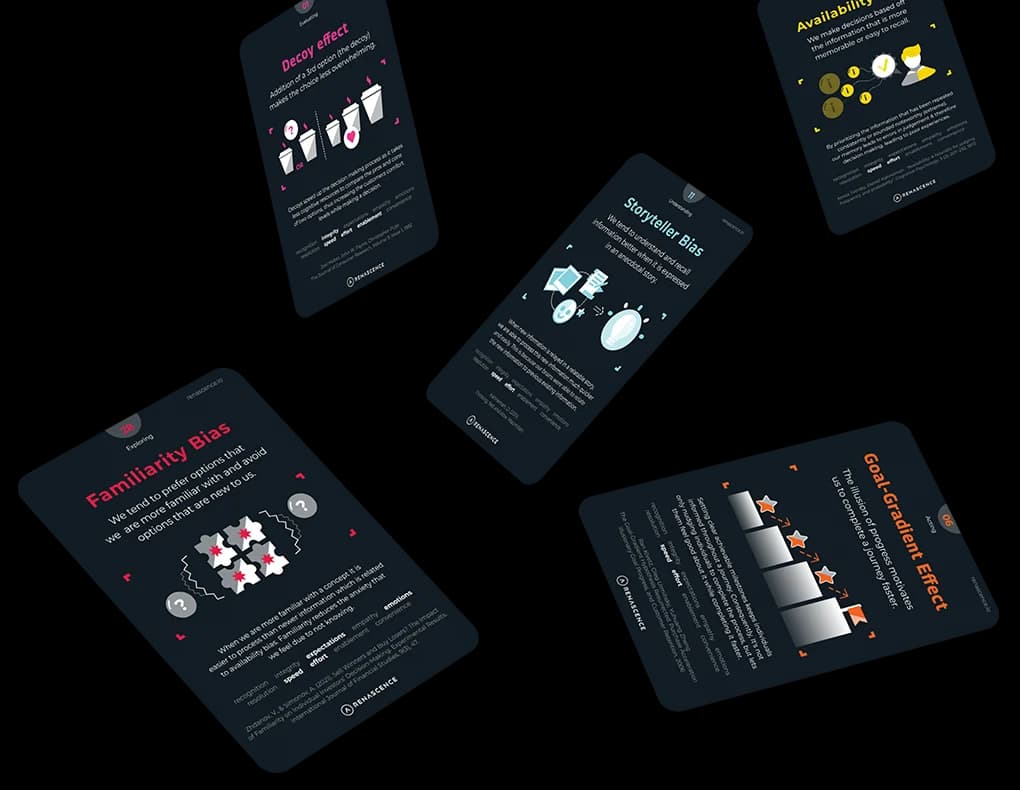
The forces that shape how humans experience the world.

Explore REBEL Reveal →
ALL PRODUCTS

Explore the full Renascence product ecosystem.

Browse products →

PLATFORMS

AI & TECHNOLOGY

LEARNING & FRAMEWORKS

CX TOOLKIT

Opinion

Insights, research, and conversations at the frontier of CX.

René Studio
AI EXPERIENCE STUDIO

Turn what you read into a journey you can score.

Explore René Studio
Mysterya
MYSTERY AUDITS, LIVE

See what customers really experience, visit by visit.

Explore Mysterya
ReadExperience JournalArticles & research on CX, behavior, and transformation.Watch & listenExperience LoomOur video podcast on CX & behavior.CuratedCX NewsIndustry news that matters in CX, minus the noise.

Latest articles

Latest episodes

Latest news

Hub

Free tools, templates, and resources to advance your CX practice.

René Studio
AI EXPERIENCE STUDIO

Design, score and fix customer journeys with AI.

Explore René Studio
Mysterya
MYSTERY AUDITS, LIVE

Every visit, every location, every score. Live.

Explore Mysterya
THE MANIFESTOBurn the Deck.
Ten Virtues. Zero Excuses.Start reading →
THE HUB

Every free tool, template and resource in one place.

Visit the Hub →

AI TOOLS

FREE TOOLS

LEARNING

CULTURE

AI · 21 November 2026

Gemini for Mac Adds Computer Use: AI Works in Background Windows

Google is adding 'Computer Use' to Gemini for Mac, letting the assistant operate desktop apps, local files and websites in an isolated background window with a live preview. The feature moves Gemini from chat-only answers to executing routine desktop tasks.

Newsdesk
Curated briefing · 2 min read

What happened

Google is adding "Computer Use" to Gemini for Mac, allowing the AI to operate desktop applications, local files and websites while the user continues with other work. The tasks run in an isolated background window, and the user can follow progress through a live preview.

The feature moves Gemini beyond answering questions in a chat panel. According to the reporting by The Decoder, the assistant can carry out routine desktop work itself, such as navigating apps and handling files, rather than only producing text for the user to act on.

The isolated window is central to the design. Work happens separately from the user's active session, and the live preview lets them check what the AI is doing without having to stop what they are doing.

Why it matters

This is a technology shift with clear implications for how organisations operate. When an AI system can execute multi-step tasks across applications and files, it stops being a tool that speeds up individual answers and starts taking on parts of the workflow. For leaders in digital transformation, that raises practical questions about which tasks can be delegated, which systems the agent can reach, and how outputs are checked before they feed into business processes.

For experience and service teams, the change affects the employee as much as the customer. Background agents can absorb administrative effort that currently interrupts knowledge work, but they also introduce a new kind of dependency. Staff need to understand what the agent did, why, and how to intervene, or the time saved at one point may reappear as oversight and rework later.

The Renascence take

Most coverage of this kind of launch will focus on capability: what the agent can click, open and finish. The more important design question is how much attention the user is willing to hand over, and what it takes to make that handover feel safe.

The real product here is delegation, not automation. A background window with a live preview is a deliberate trust mechanism, because it keeps the user able to see, pause and correct the work without being pulled into every step. Customer-obsessed operators should treat this pattern as a service-design brief: make agent actions legible, define clear permission boundaries, and build an obvious way to review or reverse what was done. The organisations that win with autonomous tools will be the ones that design for supervision, not just speed.

Sources

This briefing was written by our Newsdesk, synthesising reporting from the outlets below. Follow the links for the original coverage.

FAQ

Questions we get on this topic

Computer Use is a feature Google is adding to Gemini for Mac that lets the AI operate desktop applications, local files and websites. According to The Decoder's reporting, it can carry out routine desktop work rather than only producing text for the user to act on.

Gemini's tasks run in an isolated background window, separate from the user's active session. A live preview lets the user follow progress and check what the AI is doing without stopping their own work.

The change affects employees as much as customers, since background agents can absorb administrative effort that interrupts knowledge work. Staff need to understand what the agent did, why, and how to intervene, or the time saved may return later as oversight and rework.

Stay ahead of CX

Get the signal, not the noise.

The stories shaping customer experience — plus the Journal and Experience Loom — in your inbox.